
Introduction
A slow server means a poor user experience, lower SEO rankings, and lost revenue. No matter how secure or advanced your server setup is, if it is not optimized, visitors will leave your website in frustration. Server performance optimization ensures fast response times, efficient resource use, and higher scalability.
From caching to load balancing, there are multiple strategies administrators use to make servers run faster. In this class, we will cover essential optimization techniques and explain how they affect speed and stability.
Caching – The First Step to Speed
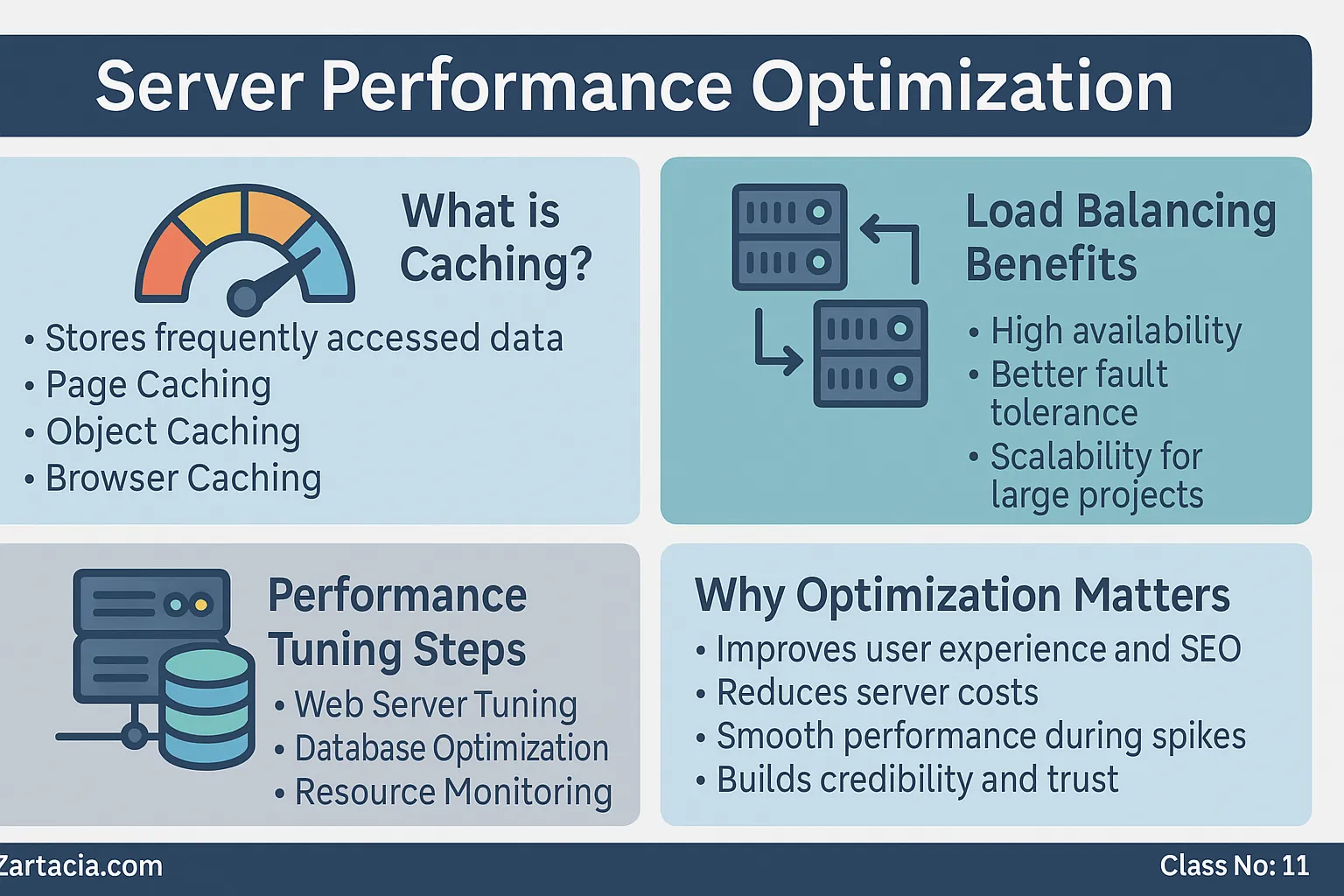
Caching stores frequently accessed data so it doesn’t have to be reloaded from scratch every time. This drastically reduces response times.
Types of Caching:
-
Page Caching: Stores full HTML pages (e.g., WordPress caching plugins).
-
Object Caching: Stores database query results (e.g., Redis, Memcached).
-
Browser Caching: Saves files like CSS/JS locally on users’ devices.
Example: A WordPress site with caching loads 2–3 times faster than one without.
Load Balancing for High Traffic
When thousands of visitors access a website simultaneously, one server may struggle. Load balancers distribute traffic across multiple servers, preventing overload.
Benefits:
-
High availability
-
Better fault tolerance
-
Scalability for large projects
Tools like HAProxy and NGINX are commonly used for load balancing.
Performance Tuning
Optimization also requires tuning server software and databases.
-
Web Server Tuning: Adjust worker processes in Apache/Nginx.
-
Database Optimization: Use indexing, query optimization, and caching.
-
Resource Monitoring: Tools like
htopandNagioshelp track CPU, RAM, and disk usage.
Regular monitoring ensures that bottlenecks are identified early.
Why Optimization Matters
-
Improves user experience and SEO rankings
-
Reduces server costs by using resources efficiently
-
Ensures smooth performance during traffic spikes
-
Increases business credibility and trust
For businesses, a one-second delay in website loading can cause up to 7% loss in conversions.
Practical Task
-
Install and configure Redis for object caching.
-
Enable gzip compression on your web server.
-
Test your website speed with GTmetrix or Google PageSpeed Insights.
Student Section
Summary (150 words):
Server performance optimization ensures fast, reliable, and scalable websites. Caching reduces repeated requests, making pages load faster. Load balancing distributes traffic across multiple servers, preventing overload. Performance tuning involves adjusting web server settings, optimizing databases, and monitoring system resources. Without optimization, websites suffer from slow speeds, high bounce rates, and poor SEO rankings. Every server administrator must master caching, load balancing, and tuning techniques to provide efficient and cost-effective hosting services.
Quiz:
-
What is caching and why is it important?
-
Name two caching tools.
-
What does a load balancer do?
-
Which tool can optimize database performance?
-
How does optimization affect SEO?
Difficult Words Table:
| Word | Meaning in Urdu |
|---|---|
| Scalability | وسعت پذیری / بڑھنے کی صلاحیت |
| Bottleneck | رکاوٹ / کارکردگی کی رکاوٹ |
| Tuning | بہتر ترتیب / ایڈجسٹمنٹ |
| Compression | سکیڑنا / دبانا |
| Monitoring | نگرانی / مانیٹر کرنا |
FAQs
Q1: Does caching always improve speed?
Yes, but cache must be configured correctly to avoid outdated content issues.
Q2: Can small websites use load balancing?
Not necessary for small sites, but essential for high-traffic platforms.
Q3: What is the best caching tool for WordPress?
Redis or Memcached for database-level caching, plus a plugin for page caching.
Q4: How can I monitor server performance?
Use tools like htop, Nagios, or Zabbix.
Q5: What is gzip compression?
It reduces file sizes before sending them to users, improving load times.
Read More (Internal Links in Urdu)
-
یہ بھی پڑھیں: Apache vs Nginx Web Servers
-
یہ بھی پڑھیں: Backup and Disaster Recovery
-
یہ بھی پڑھیں: cPanel Basics – Managing Files & Hosting Tools