
Introduction
Server administrators often work with machines located thousands of miles away. To manage these systems, a secure connection is required. This is where SSH (Secure Shell) plays a vital role. It provides encrypted communication between your computer and the server, making it impossible for hackers to intercept passwords or data.
Alongside SSH, secure file transfer is another critical skill. Administrators frequently upload, download, and edit files on remote servers. Using protocols like SFTP (Secure File Transfer Protocol) or SCP (Secure Copy), files can be transferred safely without risking data leaks.
In this class, we will explore SSH fundamentals, authentication methods, and secure file transfer techniques. By the end, you will know how to access and manage servers like a professional.
What is SSH?
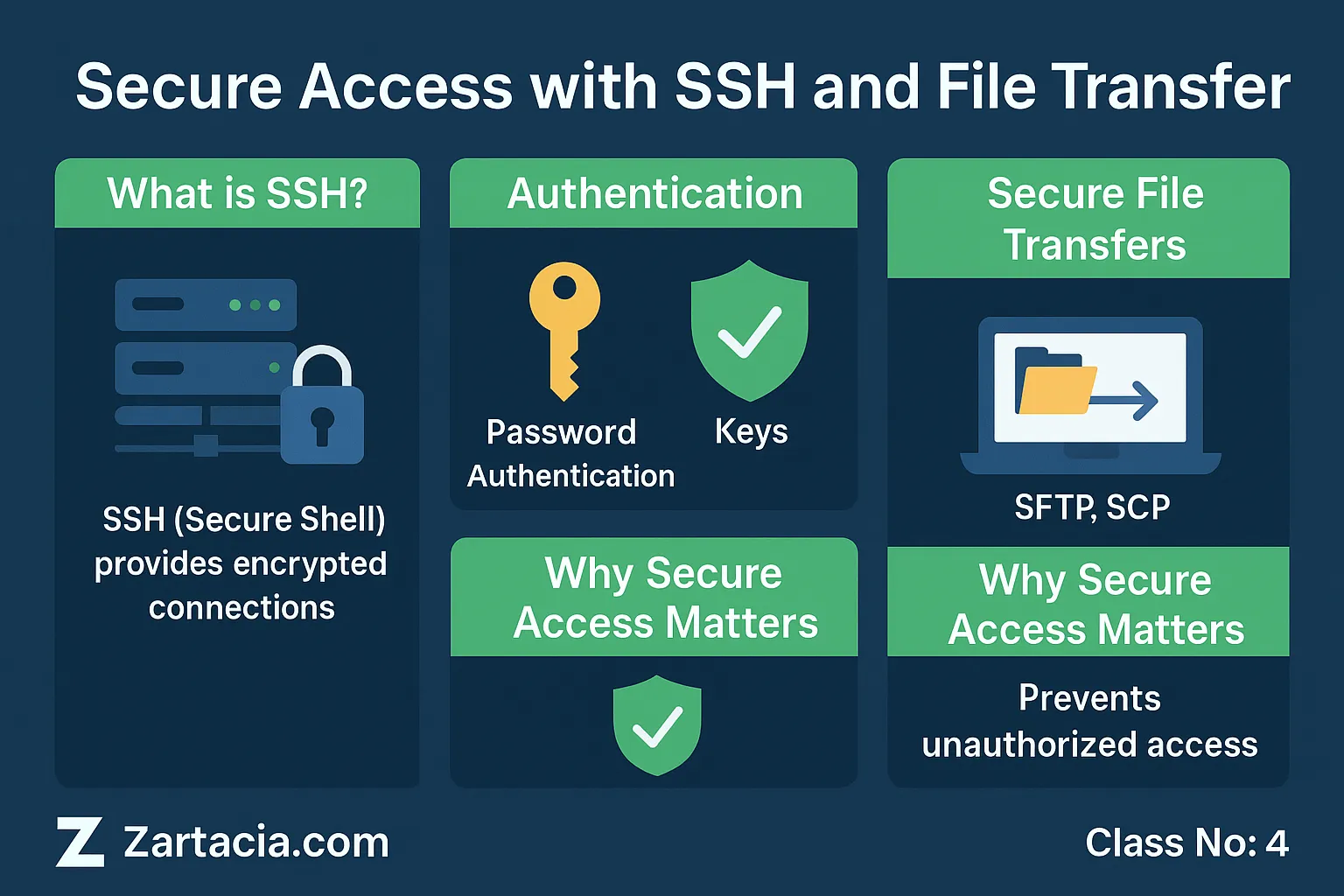
SSH (Secure Shell) is a cryptographic network protocol used for securely accessing remote servers. Unlike traditional login methods, SSH encrypts all communication. This means even if data is intercepted, it cannot be read.
Administrators use SSH to:
-
Log into remote servers
-
Execute commands
-
Configure services
-
Transfer files securely
The standard SSH port is 22, which can be changed for security.
Authentication in SSH
SSH offers two ways of logging in:
-
Password Authentication – The user enters a password. While simple, this method is less secure and vulnerable to brute-force attacks.
-
SSH Key Authentication – A public-private key pair is generated. The server stores the public key, and the client uses the private key for login. This is much more secure and recommended for professional environments.
Example: GitHub uses SSH keys for developers to push and pull code securely.
Secure File Transfer
Managing servers often requires uploading files such as website content, backups, or configuration files. The following protocols are used:
-
SFTP (Secure File Transfer Protocol): Works over SSH and is the safest method.
-
SCP (Secure Copy): A command-line tool for quick file transfers.
-
FTP (File Transfer Protocol): An older method but not secure unless combined with SSL (FTPS).
In modern environments, SFTP and SCP are the preferred methods.
Why SSH and Secure Transfers Matter
Without SSH, server management would be unsafe. Hackers could intercept login credentials, modify files, or steal sensitive information. With secure protocols, data stays encrypted, ensuring server integrity and user trust.
For businesses, this means better security compliance. For freelancers and IT professionals, it builds credibility and prevents costly mistakes.
Practical Task
-
Generate an SSH key pair on your local computer using
ssh-keygen. -
Copy the public key to your server using
ssh-copy-id. -
Log into the server without a password.
-
Upload a sample file to the server using
sftporscp.
Student Section
Summary (150 words):
In this class, we explored secure access using SSH and safe file transfer methods. SSH provides encrypted connections to servers, ensuring that no one can intercept sensitive data. We learned about password authentication and the more secure SSH key authentication. File transfers can be done using SFTP, SCP, or FTP, but SFTP and SCP are recommended for modern environments. Secure connections are critical for businesses and professionals alike. Without them, servers are vulnerable to attacks, data theft, and downtime.
Quiz:
-
What does SSH stand for?
-
Which port is used by default for SSH?
-
Why are SSH keys more secure than passwords?
-
Name two secure file transfer methods.
-
Why is FTP considered insecure?
Difficult Words Table:
| Word | Meaning in Urdu |
|---|---|
| Encrypted | خفیہ کردہ، کوڈ شدہ |
| Vulnerable | کمزور، آسانی سے متاثر ہونے والا |
| Protocol | مواصلاتی ضابطہ |
| Authentication | تصدیقِ شناخت |
| Integrity | سالمیت، درستگی |
FAQs
Q1: What is the main purpose of SSH?
SSH is used for secure login and communication with remote servers.
Q2: Can SSH be hacked?
If weak passwords are used, yes. With SSH keys and strong practices, it is very secure.
Q3: What is the difference between SFTP and FTP?
SFTP encrypts data over SSH, while FTP transfers files in plain text, making it insecure.
Q4: Should I disable password login once SSH keys are set?
Yes, disabling password login enhances security.
Q5: Can I change the SSH port for security?
Yes, changing from port 22 to another number helps reduce automated attacks.
Read More (Internal Links in Urdu)
-
یہ بھی پڑھیں: Server Security and SSL Certificates
-
یہ بھی پڑھیں: cPanel Basics: Managing Files, FTP & Hosting Tools
-
یہ بھی پڑھیں: Backup and Disaster Recovery