
Introduction
Modern hosting has moved beyond physical servers. With virtualization and cloud hosting, administrators can divide one powerful machine into multiple smaller ones, or scale websites across global data centers instantly.
Virtualization allows creating multiple virtual servers on one physical machine. Cloud hosting goes further by providing resources from a distributed network of servers. These technologies make hosting cheaper, scalable, and more reliable.
In this class, we will learn virtualization basics, cloud models, and popular tools used in the industry.
What is Virtualization?
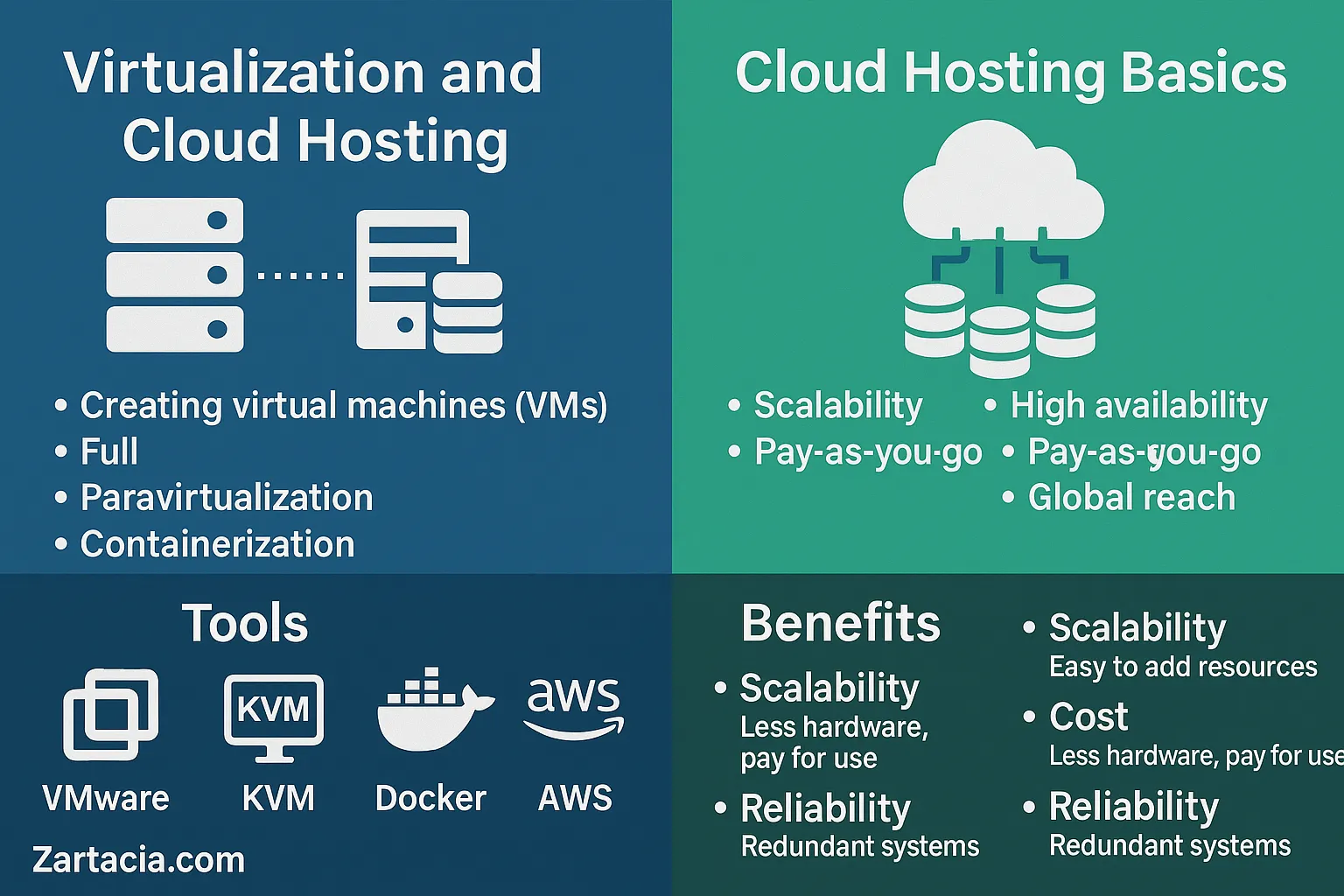
Virtualization is the process of creating multiple isolated environments (virtual machines) on a single physical server.
Types of Virtualization:
-
Full Virtualization: Each VM runs independently (e.g., VMware, VirtualBox).
-
Paravirtualization: VMs share some resources with the host OS for efficiency.
-
Containerization: Lightweight virtualization using Docker, Kubernetes.
Example: A single server can host 10 virtual machines, each running a different website.
Cloud Hosting Basics
Cloud hosting is hosting websites on a network of servers instead of one physical machine.
Benefits:
-
Scalability (add resources anytime)
-
High availability (no single point of failure)
-
Pay-as-you-go pricing
-
Global reach
Cloud Models:
-
IaaS (Infrastructure as a Service): Virtual servers (AWS EC2, DigitalOcean).
-
PaaS (Platform as a Service): Ready-to-use platforms (Heroku, Google App Engine).
-
SaaS (Software as a Service): Applications hosted online (Google Workspace, Dropbox).
Tools for Virtualization and Cloud
-
VMware ESXi: Popular enterprise virtualization platform.
-
KVM (Kernel-based Virtual Machine): Open-source virtualization for Linux.
-
Docker: Containerization platform for lightweight apps.
-
AWS, Azure, Google Cloud: Industry leaders in cloud hosting.
Why Virtualization & Cloud Hosting Matter
-
Saves cost by using fewer physical servers
-
Enables fast deployment and scaling
-
Provides disaster recovery and backup options
-
Supports modern apps (AI, IoT, microservices)
Businesses now rely on cloud-first strategies for flexibility and security.
Practical Task
-
Install VirtualBox and create a Linux VM.
-
Deploy a simple app on AWS Free Tier.
-
Compare performance between physical hosting and cloud hosting.
Student Section
Summary (150 words):
Virtualization and cloud hosting have revolutionized server management. Virtualization allows multiple virtual machines to run on a single server, improving efficiency and reducing costs. Cloud hosting distributes websites across global servers, ensuring high availability and scalability. Models like IaaS, PaaS, and SaaS provide different levels of service, from infrastructure to software. Popular tools include VMware, KVM, Docker, AWS, and Azure. Together, virtualization and cloud technologies make hosting faster, cheaper, and more reliable. They are essential skills for administrators managing modern infrastructure.
Quiz:
-
What is virtualization?
-
Name one tool used for containerization.
-
What does IaaS stand for?
-
List two benefits of cloud hosting.
-
Which companies are leaders in cloud services?
Difficult Words Table:
| Word | Meaning in Urdu |
|---|---|
| Scalability | وسعت پذیری / بڑھنے کی صلاحیت |
| Infrastructure | بنیادی ڈھانچہ / انفراسٹرکچر |
| Containerization | ہلکی پھلکی ورچوئلائزیشن |
| Deployment | نفاذ / اطلاق |
| Availability | دستیابی / موجودگی |
FAQs
Q1: Is virtualization the same as cloud hosting?
No, virtualization creates virtual servers, while cloud hosting uses distributed servers.
Q2: Can small businesses use cloud hosting?
Yes, cloud hosting is cost-effective and scalable for businesses of all sizes.
Q3: Which is better, Docker or VMware?
VMware is for full virtualization, while Docker is for lightweight apps.
Q4: What is the best free cloud hosting option?
AWS Free Tier, Google Cloud free credits, and Azure free services are popular.
Q5: Can virtualization improve security?
Yes, virtual machines are isolated, reducing the impact of attacks.
Read More (Internal Links in Urdu)
-
یہ بھی پڑھیں: Apache vs Nginx Web Servers
-
یہ بھی پڑھیں: Backup and Disaster Recovery
-
یہ بھی پڑھیں: Server Performance Optimization