
Introduction
The Domain Name System (DNS) is the phonebook of the internet. Without DNS, users would have to type long IP addresses to access websites. DNS converts human-friendly domain names like zartacia.com into machine-readable IP addresses.
For server administrators, managing DNS is a core skill. Misconfigured DNS can make websites inaccessible, emails bounce, or even redirect traffic to hackers.
In this class, we will cover DNS basics, record types, and best practices for reliable domain management.
How DNS Works
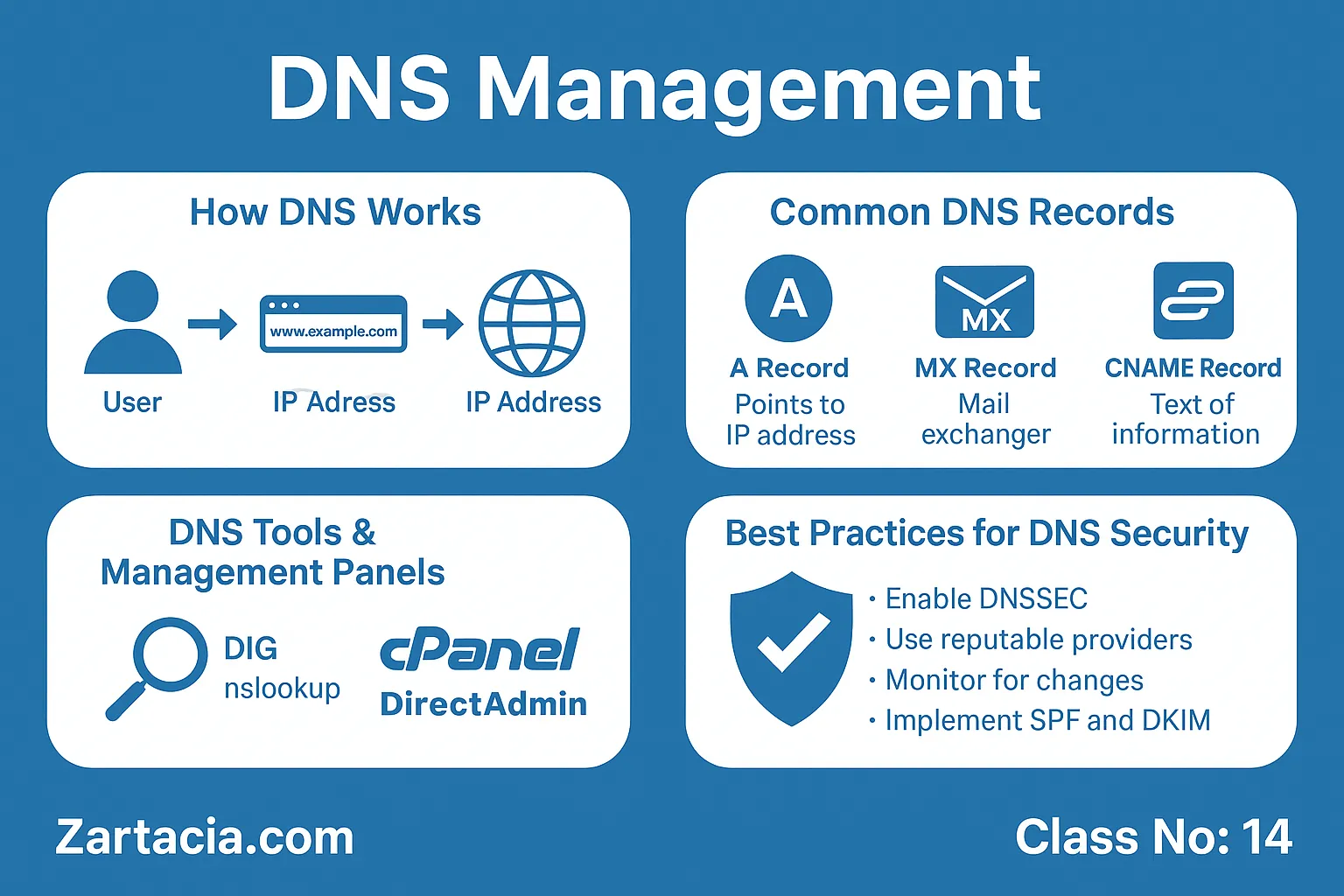
When a user types a website address, the DNS system translates it into an IP address that the browser can connect to.
Process:
-
User enters
www.example.com. -
Browser asks the DNS resolver for the IP.
-
Resolver queries nameservers.
-
Nameservers return the IP address.
-
Browser connects to the server and loads the website.
This process happens in milliseconds but is critical for connectivity.
Common DNS Records
-
A Record: Maps domain to IPv4 address.
-
AAAA Record: Maps domain to IPv6 address.
-
CNAME Record: Points one domain to another (e.g.,
blog.example.com→example.com). -
MX Record: Directs emails to the correct mail server.
-
TXT Record: Stores verification data (SPF, DKIM).
-
NS Record: Identifies authoritative nameservers for the domain.
DNS Tools and Panels
Most hosting providers offer DNS management via control panels like cPanel, DirectAdmin, or domain registrars (Namecheap, GoDaddy). Advanced admins use command-line tools like dig and nslookup for troubleshooting.
Best Practices in DNS Management
-
Always configure SPF, DKIM, and DMARC for email security.
-
Use reliable DNS providers (e.g., Cloudflare, Google DNS).
-
Keep TTL (Time to Live) reasonable (not too long, not too short).
-
Secure DNS zones to prevent hijacking.
-
Regularly test with DNS lookup tools.
Practical Task
-
Add an A record pointing your domain to your server IP.
-
Configure an MX record for email.
-
Use
nslookupordigto verify records.
Student Section
Summary (150 words):
DNS is the backbone of domain management, translating human-friendly names into IP addresses. It ensures websites and emails function correctly. Administrators must understand record types like A, MX, and CNAME to configure domains properly. Tools like cPanel or dig help manage and troubleshoot DNS issues. Best practices include using secure providers, enabling SPF/DKIM, and setting correct TTL values. Without proper DNS management, websites can face downtime, security risks, and email delivery failures. For every server administrator, mastering DNS is as important as learning Linux commands.
Quiz:
-
What does DNS stand for?
-
Which record directs emails?
-
What is the function of a CNAME record?
-
Which tool can check DNS records?
-
Why is TTL important?
Difficult Words Table:
| Word | Meaning in Urdu |
|---|---|
| Resolver | حل کرنے والا / ترجمان |
| Authoritative | معتبر / اصل اختیار رکھنے والا |
| Hijacking | غیر قانونی کنٹرول لینا |
| Propagation | پھیلاؤ / تبدیلی کا پھیلنا |
| Verification | تصدیق / جانچ پڑتال |
FAQs
Q1: How long does DNS propagation take?
Usually 24–48 hours, depending on TTL values.
Q2: What happens if DNS records are misconfigured?
Websites or emails may stop working, or traffic may be hijacked.
Q3: What is the difference between A and CNAME records?
A maps directly to an IP, CNAME points to another domain.
Q4: Do I need DNS management if I use Cloudflare?
Yes, but Cloudflare simplifies and secures DNS handling.
Q5: Can DNS affect website speed?
Yes, slow DNS resolution can delay site loading.
Read More (Internal Links in Urdu)
-
یہ بھی پڑھیں: Email Server Management
-
یہ بھی پڑھیں: Server Security and SSL Certificates
-
یہ بھی پڑھیں: Backup and Disaster Recovery
