
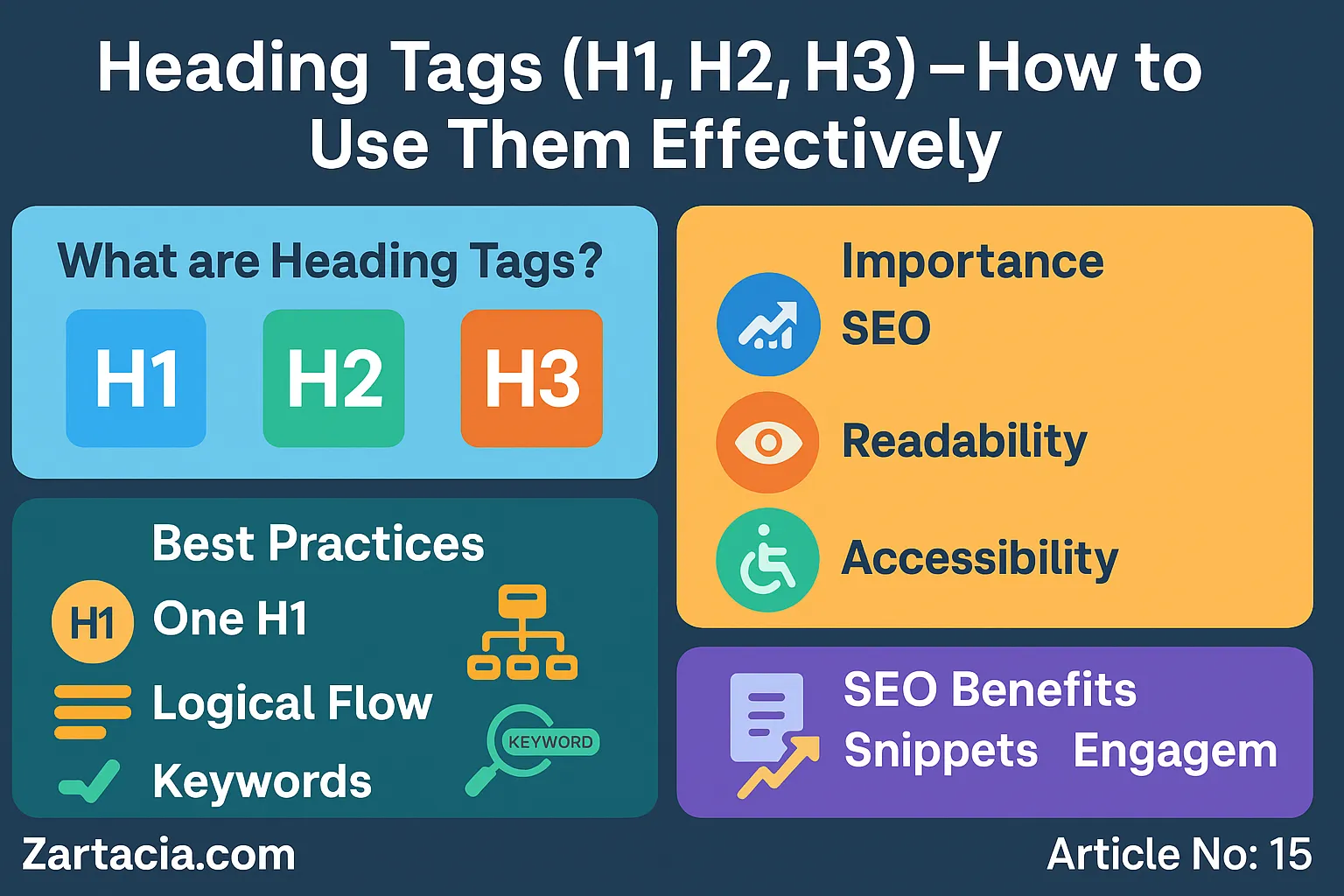
Heading Tags (H1, H2, H3) – How to Use Them Effectively
Headings are the backbone of content structure. They guide readers through your article while signaling to Google what each section is about. Using H1, H2, and H3 tags effectively is crucial for both user experience and SEO.
In 2025, with search engines focusing more on semantic understanding, proper use of heading tags helps Google understand the hierarchy of information. It’s not just about keywords—it’s about logical flow, readability, and content clarity.
This article will explain the role of H1, H2, and H3 tags, why they matter, and how you can use them to improve both SEO rankings and reader engagement.
What are Heading Tags?
Heading tags are HTML elements (<h1>, <h2>, <h3>, etc.) that define the structure of a web page. They range from H1 (the main title) to H6 (sub-subsections).
-
H1 → The main title of the page, used once.
-
H2 → Subheadings that divide major sections.
-
H3 → Subsections under H2 headings.
Example:
H1: Best Hosting Services in Pakistan
H2: Why Hosting Speed Matters
H3: Impact of Loading Time on SEO
Importance of H1, H2, and H3
Headings help both users and search engines:
-
Readability – Breaks content into easy-to-read sections.
-
SEO Signals – Keywords in headings carry more weight.
-
Hierarchy – Google understands how information is structured.
-
Accessibility – Screen readers use headings to guide visually impaired users.
A well-structured article with clear H2 and H3 headings can outperform a poorly structured one, even if both have similar content.
How to Use Them Correctly
-
Use One H1 per Page – It should include the focus keyword naturally.
-
Break Content with H2 Tags – Each major section gets an H2.
-
Use H3 for Subsections – Adds clarity to detailed explanations.
-
Insert Keywords Naturally – Avoid stuffing; headings should read naturally.
-
Maintain Logical Flow – Don’t skip heading levels (e.g., H1 → H3 without H2).
Case Study: A blog that restructured content with proper H1, H2, and H3 tags saw a 25% improvement in time-on-page and better rankings within 3 months.
SEO Benefits of Proper Headings
-
Improved Rankings – Search engines give weight to headings with relevant keywords.
-
Better User Engagement – Visitors stay longer on well-structured content.
-
Voice Search Optimization – Google often pulls answers from headings.
-
Content Snippets – Properly formatted H2 and H3 tags increase chances of appearing in “featured snippets.”
Student Section
✅ Summary (150 words)
Heading tags (H1, H2, H3) play a vital role in SEO and readability. The H1 tag should represent the main title of the page and be used only once. H2 tags break the content into major sections, while H3 tags add structure to subsections. In 2025, Google focuses on semantic understanding, so headings should provide context rather than just keywords. Correct usage improves rankings, boosts engagement, and enhances accessibility. Headings also help Google identify key parts of your content for featured snippets. Mistakes like skipping heading levels or overusing H1 tags should be avoided. By combining clear structure with natural keyword placement, heading tags can greatly improve user experience and SEO performance.
📝 Quiz
-
How many H1 tags should a page have?
Answer: Only one. -
What are H2 tags used for?
Answer: Major section headings. -
Why are headings important for accessibility?
Answer: Screen readers use them to guide users. -
What happens if you skip heading levels?
Answer: It confuses both readers and search engines. -
Can headings help with featured snippets?
Answer: Yes, H2 and H3 are often used in snippets.
📘 Difficult Words Table
| Word | Meaning in Urdu |
|---|---|
| Hierarchy | درجہ بندی / ترتیب |
| Accessibility | دستیابی / آسان رسائی |
| Subsections | ذیلی حصے |
| Semantic | معنوی / معنی پر مبنی |
| Snippets | چھوٹے حصے / اقتباسات |
FAQs
Q1: Can I use multiple H1 tags on a page?
No, best practice is to use only one H1 per page.
Q2: Do headings directly affect rankings?
Yes, especially when they include relevant keywords naturally.
Q3: Should all headings contain keywords?
No, mix keywords with natural language for readability.
Q4: Can headings improve bounce rate?
Yes, well-structured content keeps users engaged longer.
People are also reading
-
“Meta Titles & Descriptions – Best Practices 2025”
-
“On-Page SEO Checklist for Beginners”
-
“Content Length vs Quality – What Google Prefers”
