Image SEO – How to Optimize Images for Google
Images make content visually appealing, improve engagement, and help explain ideas better. But if they’re not optimized, they can slow down your website and hurt SEO. Image SEO ensures your images are not only beautiful but also search-engine friendly.
In 2025, Google’s algorithms are more advanced in understanding images through AI, alt text, and context. Optimizing images can boost your ranking in both Google Search and Google Images. For e-commerce and content-heavy websites, image SEO can directly improve traffic, conversions, and user experience.
This article covers the essentials of image SEO optimization, including alt text, file names, compression, and modern formats like WebP. By applying these strategies, you can create fast, visually appealing, and SEO-friendly content.
Why Image SEO Matters
-
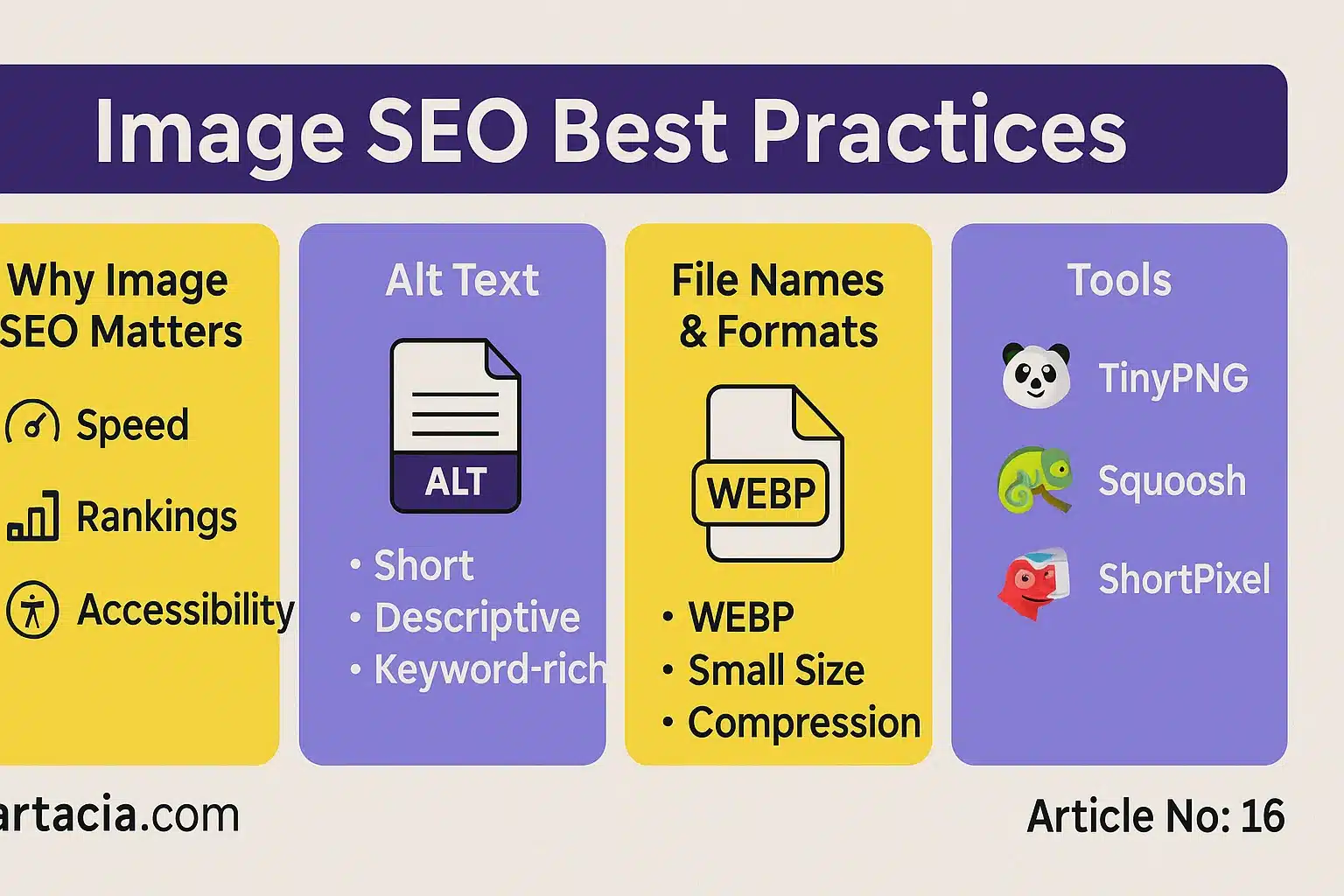
Faster Loading Speed – Compressed and optimized images load quickly, reducing bounce rate.
-
Better Rankings – Google considers page speed and media optimization in rankings.
-
Accessibility – Alt text helps visually impaired users with screen readers.
-
Image Search Traffic – Many users come through Google Images.
-
Improved User Experience – Well-placed, fast-loading images keep visitors engaged.
Example: An e-commerce site reduced image sizes by 50% using WebP format and saw a 30% increase in sales due to faster page load times.
Alt Text Best Practices
Alt text is the written description of an image. It tells Google what the image is about.
-
Keep it short (under 125 characters).
-
Use descriptive language.
-
Include focus keywords naturally.
-
Avoid keyword stuffing.
Example: Instead of writing “image1”, write “Affordable web hosting server in Pakistan”.
File Names & Size Optimization
Before uploading an image, rename it with descriptive, keyword-rich filenames.
Bad: IMG_001.png
Good: seo-checklist-2025.png
Also:
-
Keep file sizes small (<200 KB if possible).
-
Use compression tools like TinyPNG, Squoosh, or ShortPixel.
-
Choose modern formats like WebP instead of JPEG/PNG.
Tools for Image SEO
-
TinyPNG / TinyJPG → Compress images without losing quality.
-
Squoosh → Google’s free tool for image optimization.
-
ShortPixel / Imagify → Plugins for WordPress image SEO.
-
Canva / Photoshop → Design tools with export optimization options.
Student Section
✅ Summary
Image SEO is a crucial part of on-page optimization in 2025. Optimized images reduce loading times, improve user experience, and help websites rank higher on Google. Using descriptive alt text ensures search engines and screen readers understand your images. Proper file names make content more discoverable, while compression tools keep image sizes small without reducing quality. Modern formats like WebP load faster and save bandwidth, giving websites a competitive advantage. E-commerce businesses and content creators benefit the most from image SEO because visuals play a major role in conversions. By using alt text, descriptive filenames, and tools like TinyPNG or ShortPixel, businesses can significantly boost their SEO. Ignoring image SEO can slow websites, increase bounce rates, and cause loss of valuable traffic.
📝 Quiz
-
Why is image SEO important?
Answer: It improves speed, rankings, and accessibility. -
What is alt text?
Answer: A short description of an image for SEO and accessibility. -
Which file format is best in 2025?
Answer: WebP. -
What is the ideal file size for images?
Answer: Under 200 KB if possible. -
Name one tool for image compression.
Answer: TinyPNG.
📘 Difficult Words Table
| Word | Meaning in Urdu |
|---|---|
| Compression | سکڑاؤ / دباؤ |
| Accessibility | آسان رسائی / دستیابی |
| Conversion | وزیٹر کو خریدار میں بدلنا |
| Bandwidth | ڈیٹا کی گنجائش |
| Discoverable | قابل دریافت / تلاش کرنے کے قابل |
FAQs
Q1: Does image SEO really affect rankings?
Yes, because Google considers speed, accessibility, and alt text.
Q2: Should I use the same image name for multiple files?
No, each image should have a unique descriptive filename.
Q3: Do decorative images need alt text?
No, you can leave them empty if they don’t add value.
Q4: Can large images harm SEO?
Yes, they slow down the site and increase bounce rate.
People are also reading
-
“On-Page SEO Checklist for Beginners”
-
“Meta Titles & Descriptions – Best Practices 2025”
-
“Heading Tags (H1, H2, H3) – How to Use Them Effectively”
